Desktop app · Free early access

Redact personal data.Without uploading it.

Quantum Redact removes UK personal data from Word documents, PDFs and text files, entirely on your own computer. Nothing is uploaded, so client and patient data never leaves your organisation.

Mac (Apple silicon) and Windows · Version 0.1

Quantum Redact review screen: counts of names, addresses, postcodes, emails and phone numbers removed, a flagged passage to check, and redacted passages with tags such as [NAME] and [POSTCODE].

How it works

Four steps. All on your computer.

A one-page letter takes about a second on a modern laptop.

  1. Open a document

    Drop in a Word document, a PDF with selectable text, or a text file, or paste text straight in.

  2. Redact it locally

    Our AI model reads each passage and replaces personal data with clear tags such as [NAME] and [POSTCODE]. Pattern rules then catch any structured identifiers it missed.

  3. Review what changed

    Every change is listed, with any doubtful passages flagged first so a person can check and correct them.

  4. Save with an audit report

    Save as Word or text. Each save also writes a short report of what types of data were removed, without ever recording the data itself.

What it finds

Ten kinds of UK personal data.

NamesMr [NAME], Dr [NAME]
AddressesHouse, street and town
PostcodesLS6 2QT and other formats
Phone numbersMobiles and landlines
Email addressesIncluding inside links
NI numbersNational Insurance
NHS numbersWith or without spaces
Sort codesBank sort codes
Account numbersBank account numbers
Dates of birthOther dates are kept

Organisation names, case and order references, prices, and dates that aren’t dates of birth are left as they are.

Privacy and safety

Built for documents you can’t afford to leak.

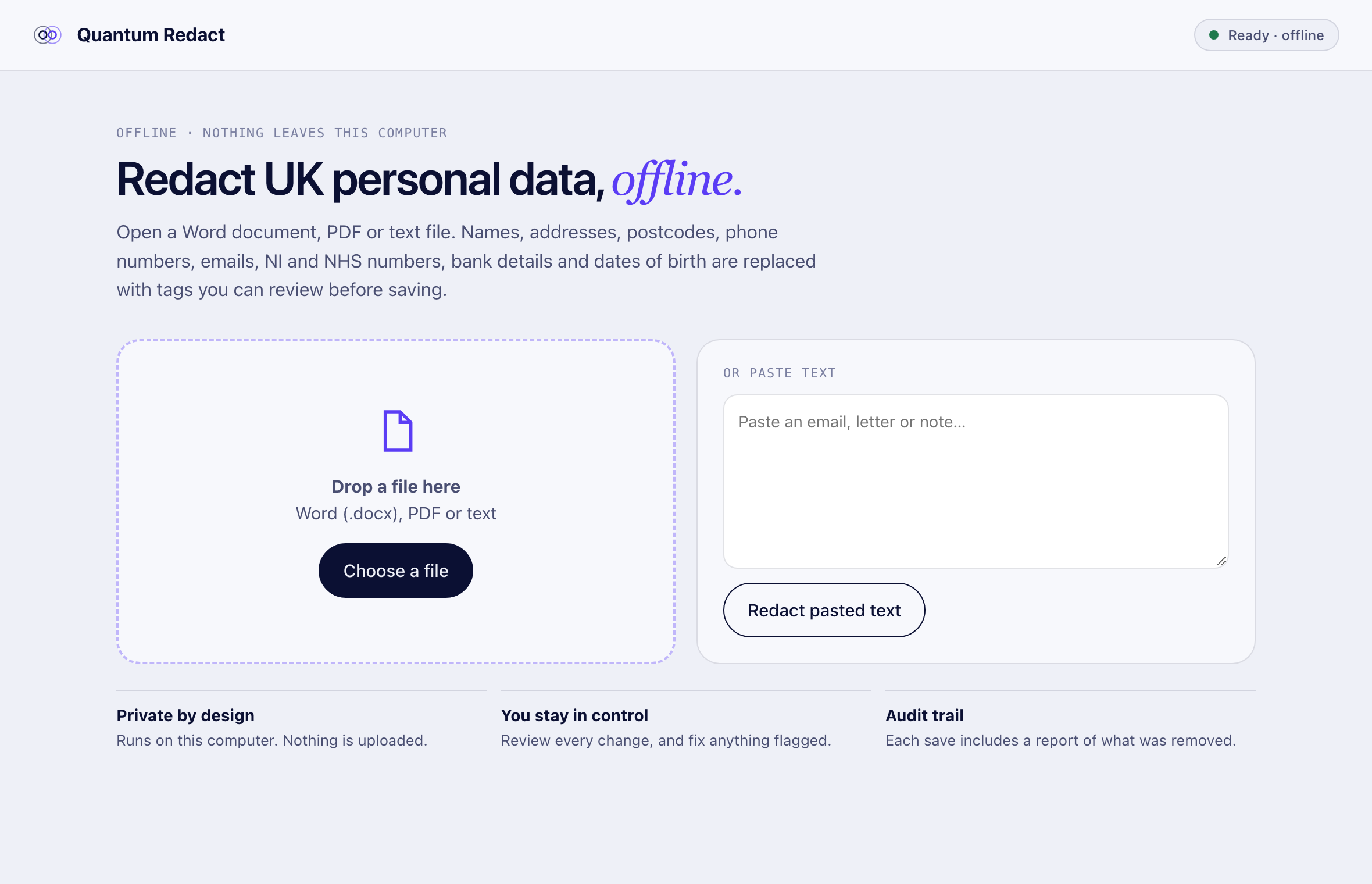
Quantum Redact home screen with a drop zone for files, a box for pasted text, and a status badge reading Ready, offline.
  • Fully offlineThe AI model is installed with the app. Documents are never uploaded, and the app makes no network connections.
  • Word files covered thoroughlyBody text, tables, headers, footers and text inside links. Hidden document properties, such as the author’s name, are wiped.
  • Three safety layersThe AI model, pattern rules for structured identifiers, and an integrity check that flags any passage where text other than personal data changed.
  • A person stays in chargeFlagged passages appear first, with an edit box. Nothing is saved until you choose to save it.
  • Audit report without the dataEach save records how many items of each type were removed, never the personal data itself.
  • Open, tested modelThe redaction model is published with its full test results. Read the case study.

Download

Free during early access.

Each download is about 1 GB, because the AI model is included so the app works without an internet connection.

Mac

Quantum Redact for Mac

Apple silicon (M1 or later), macOS 13 Ventura or newer.

First time you open it: this early version isn’t yet signed by Apple, so macOS will warn you. Click Done, then go to System Settings → Privacy & Security and click Open Anyway.

Windows

Quantum Redact for Windows

Windows 10 or 11, 64-bit.

First time you run the installer: this early version isn’t yet code-signed, so Windows may show “Windows protected your PC”. Click More info, then Run anyway.

Downloads are hosted on Hugging Face. By downloading, you agree to use the app as described on this page. Automated redaction can miss personal data or remove too much: always review documents before sharing them.

Questions

Quantum Redact FAQs

Is it really free?

Yes, during early access. We’d love your feedback in return. If you want to use it across a team or need help adapting it to your documents, talk to us.

Does any of my data leave my computer?

No. The AI model runs on your computer and the app makes no network connections. You can check this by switching off your internet connection: it works exactly the same.

Is redaction guaranteed to be complete?

No automated tool can guarantee that. Quantum Redact flags passages it’s unsure about, but a person should always review documents before sharing them. Redacted text can sometimes still identify someone through context.

What are the current limitations?

Formatting such as bold words inside a changed paragraph is lost. PDFs are saved as Word or text, not as redacted PDFs, and scanned PDFs aren’t supported yet. Footnotes, comments and tracked changes in Word files aren’t processed yet. It detects UK English personal data in the ten categories above.

Why is the download 1 GB?

The AI model is included in the app, so it works offline from the moment it’s installed, with nothing to download later.

Will it work on an older or Intel Mac?

Not yet. The Mac version needs Apple silicon (M1 or later) and macOS 13 Ventura or newer.

Start a conversation

Tell us the problem.
We’ll tell you honestly if AI can solve it.